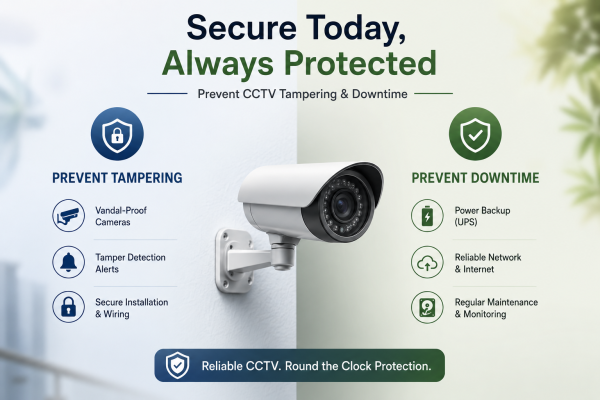
CCTV cameras play a crucial role in protecting homes, offices, shops, warehouses, and industrial properties. However, even the best security system can become ineffective if cameras are tampered with or experience downtime. In India, factors such as power cuts, extreme weather, internet issues, and intentional vandalism can affect CCTV performance.
This guide explains practical ways to prevent CCTV camera tampering and downtime, ensuring continuous security and reliable surveillance.
What is CCTV Camera Tampering?
Camera tampering happens when someone intentionally interferes with a CCTV camera. They may block, damage, move, spray, cover, or disable the camera. Criminals often target cameras before attempting theft, trespassing, or vandalism.
Common Types of CCTV Tampering
-
Covering the camera lens
-
Redirecting camera angles
-
Cutting power cables
-
Disconnecting network cables
-
Damaging the camera physically
-
Blocking the field of view
-
Attempting unauthorised access to the system
Why CCTV Downtime is a Serious Concern
Downtime refers to periods when cameras stop recording or transmitting footage. Even a few minutes of downtime can result in missed incidents and security risks.
Common Causes of CCTV Downtime in India
-
Power outages
-
Internet failures
-
Faulty wiring
-
Hard disk failures
-
Poor maintenance
-
Extreme heat and monsoon weather
-
Software or firmware issues
Tips to Prevent CCTV Camera Tampering
1. Install Cameras at Safe Heights
Mount cameras high enough to prevent easy access while maintaining clear visibility. Cameras installed too low are easier to damage or manipulate.
2. Use Vandal-Proof Cameras
Choose vandal-resistant cameras with strong metal housings. These cameras are specifically designed to withstand physical attacks and tampering attempts.
3. Protect Cables and Connectors
Use concealed wiring or metal conduits to prevent criminals from cutting cables. Exposed cables are one of the easiest targets for intruders.
4. Enable Tamper Detection Alerts
Many modern CCTV systems can detect when a camera is blocked, moved, or loses focus. Configure instant notifications to receive alerts on your smartphone.
5. Secure DVR, NVR, and Networking Equipment
Keep recording devices in locked cabinets or restricted-access rooms to prevent unauthorized access.
6. Use Strong Passwords
Change default passwords immediately and enable two-factor authentication whenever possible.
Tips to Prevent CCTV Downtime
1. Install a UPS Power Backup
Power cuts are common in many parts of India. A UPS ensures cameras, DVRs, and NVRs continue operating during outages.
2. Regular Maintenance Checks
Inspect cameras, cables, connectors, and storage devices regularly to identify potential issues before they cause system failure.
3. Monitor Hard Disk Health
Hard drives operate continuously and can fail over time. Periodically check storage health and replace aging drives.
4. Use Reliable Internet Connections
For remote monitoring and cloud storage, ensure a stable broadband connection. Consider a secondary internet connection for critical sites.
5. Protect Equipment from Weather
Use weatherproof cameras with IP66 or IP67 ratings, especially for outdoor installations exposed to rain, dust, and heat.
6. Keep Firmware Updated
Manufacturers release updates to improve performance, security, and reliability. Regular updates help reduce system vulnerabilities.
Advanced Security Measures
Cloud Backup Storage
Cloud storage protects footage even if the DVR, NVR, or camera is stolen or damaged.
AI-Based Alerts
Modern CCTV systems can detect suspicious activities, intrusion attempts, and tampering events in real time.
Remote Health Monitoring
Many advanced surveillance systems can automatically notify users if a camera goes offline or recording stops.
Best CCTV Setup for Maximum Protection
For the highest level of security:
-
Vandal-proof cameras
-
UPS power backup
-
Secure NVR/DVR installation
-
Cloud storage backup
-
Tamper detection alerts
-
Regular maintenance schedule
-
Strong cybersecurity measures
This combination minimizes both camera tampering and system downtime.
Conclusion
Preventing CCTV tampering and downtime is just as important as installing cameras themselves. By choosing quality equipment, securing your system, maintaining power backup, and conducting regular maintenance, you can ensure continuous surveillance and better protection for your property.
Whether for a home, office, shop, or warehouse, a well-maintained CCTV system gives reliable security and peace of mind all year.