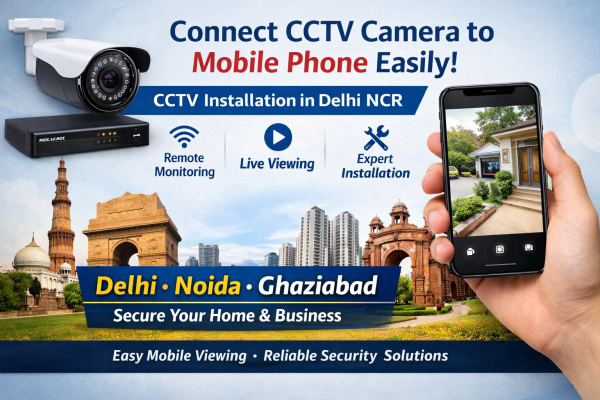
Complete Guide (India)
In today’s fast-moving world, remote monitoring has become a necessity for both homes and businesses. Whether you own a shop in Delhi, a warehouse in Ghaziabad, or a home in Noida, connecting your phone to a CCTV camera allows you to keep an eye on your property anytime, anywhere. With modern wireless CCTV cameras, mobile apps, and high-speed internet, setting up mobile viewing is easier than ever.
This guide will help you understand how to connect your phone to a CCTV camera step-by-step using simple methods.
Why Connect a CCTV Camera to Your Phone?
Before we get into the process, here are the key benefits:
-
Remote access from anywhere
-
Real-time monitoring of your home or office
-
Instant alerts with motion detection
-
Easy control with smart home integration
-
Watch recordings anytime on your mobile device
Things You Need Before Setup
To connect your CCTV camera to your phone, make sure you have:
-
CCTV camera system (wired or wireless)
-
DVR/NVR (Digital/Network Video Recorder)
-
Stable internet connection / WiFi network
-
Smartphone (Android or iPhone)
-
CCTV brand’s mobile app
-
Proper network connection setup
Method 1: Connect Phone to Wireless CCTV Camera (WiFi)
This is the easiest method and commonly used in homes and small businesses.
Steps:
-
Install the camera at your desired location
-
Connect the camera to a WiFi network
-
Download the camera’s official app (like Hik-Connect, CP Plus, etc.)
-
Create an account and log in
-
Scan the QR code on the camera or enter the device ID
-
Add the device to the app
-
Start live viewing on your phone
👉 Now you can access your CCTV anytime using remote monitoring
Method 2: Connect Phone to DVR/NVR (Wired CCTV System)
For wired CCTV cameras used in shops, offices, and larger setups:
Steps:
-
Connect cameras to the DVR using Ethernet cables or coaxial cables
-
Connect the DVR to the router using a LAN cable
-
Enable internet on the DVR system
-
Install the CCTV mobile app
-
Add device using IP address or QR code
-
Enter login credentials
-
Access live footage and recordings
👉 This setup is ideal for high-resolution surveillance and long-term security.
Enable Remote Viewing (Important Step)
To view your CCTV outside your home or office:
-
Enable P2P (Peer-to-Peer) in DVR settings
-
Make sure your network connection is active
-
Use cloud-based apps for easy access
-
Ensure good internet speed for smooth streaming
Features You Can Control from Your Phone
Once connected, you can use advanced features like:
-
Night vision monitoring in low light conditions
-
Motion detection alerts on your phone
-
Control pan tilt zoom (PTZ) cameras
-
Playback recorded footage
-
Manage multiple cameras in one app
-
Adjust wide angle view settings
Common Issues & Solutions
1. Camera not connecting?
→ Check WiFi password and network signal
2. No live video?
→ Ensure proper internet connection and restart the device
3. App not detecting device?
→ Re-scan QR code or check device ID
4. Slow streaming?
→ Upgrade to a high-speed internet plan
Local CCTV Installation Services (Delhi NCR)
If you are facing issues or need professional help, you can contact local experts for:
-
CCTV installation in Delhi
-
CCTV installation in Ghaziabad
-
CCTV installation in Noida
-
Set up of wireless CCTV cameras with mobile viewing
-
Complete home security and office surveillance solutions
Professional technicians ensure proper configuration of your system for smooth remote access and long-term reliability.
Conclusion
Connecting your phone to a CCTV camera is no longer complicated. With the right setup and proper configuration, you can enjoy 24/7 remote monitoring, enhanced home security, and peace of mind. Whether you use a wired system with DVR or a wireless CCTV camera, mobile connectivity is essential for modern surveillance.
If you’re looking for affordable CCTV installation near you in Delhi NCR, make sure to choose a reliable service provider who offers complete setup, support, and maintenance.