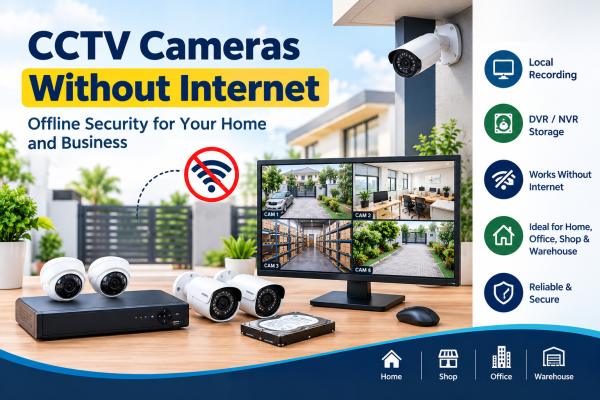
CCTV cameras are a key part of modern security systems. They help protect homes, offices, stores, warehouses, and other commercial properties. But what happens when you do not have an internet connection? Can you still monitor your property and record important security footage?
The good news is that CCTV cameras can work without internet access when you choose a system that supports local recording. With the right cameras, recording gear, and setup, you can watch your property. You can also save video without Wi-Fi or an internet provider.
In this guide, we explain how offline CCTV systems work. We cover the equipment you need and their benefits. We also review key factors to consider before installation.
1. Is Internet Necessary for CCTV Camera Installation?
No, an internet connection is not necessary for every CCTV camera system. Many traditional wired CCTV systems operate independently of the internet.
A typical offline setup includes cameras, a DVR or NVR, a storage device, and a monitor. The cameras capture video, the recorder stores the footage, and the monitor displays live or recorded video.
The internet is generally needed for remote viewing, cloud recording, and online notifications rather than basic local surveillance.
For example, a shop owner can install CCTV cameras connected to a DVR. The owner can monitor the entrance, counter, and storage area. The system does not need an internet connection.
2. What Equipment Do You Need for an Offline CCTV System?
To build a reliable CCTV system without internet, you need compatible equipment that supports local operation.
CCTV Cameras
Choose cameras according to the area you want to monitor. Dome cameras are commonly used indoors, while bullet cameras are often suitable for outdoor areas. The right choice depends on lighting, weather exposure, viewing distance, and installation requirements.
DVR or NVR Recorder
A DVR is often used with analog CCTV cameras, while an NVR usually records video from IP cameras.
Both can support offline recording when properly configured and connected to the cameras and storage.
Hard Drive or Memory Card
A DVR or NVR usually stores footage on a compatible hard drive. Some standalone cameras can record directly to a supported memory card.
Storage capacity determines how much footage can be retained before older recordings are overwritten, depending on the recording settings.
Monitor
A monitor connected to the DVR or NVR lets you view live video and review recordings without internet access.
Power Supply and Cabling
Cameras and recording equipment need suitable power supplies and compatible connections. A UPS can help keep the system running during short power interruptions, provided its capacity is sufficient.
3. Which Offline CCTV System Is Best for Your Property?
Different properties have different surveillance requirements. Consider these options when choosing a system.
For homes: A wired CCTV system with a DVR can watch entrances, parking areas, balconies, and other key spots.
You can also use an IP camera system with a local NVR for the same areas.
For shops: Cameras connected to a local recorder can help monitor cash counters, entrances, display areas, and stockrooms.
For offices: An offline CCTV system can provide local monitoring of reception areas, corridors, entry points, and equipment rooms.
For warehouses: Multiple cameras connected to a suitable NVR or DVR can cover loading areas, storage aisles, and entrances.
For remote locations: A compatible system with local recording can help on farms, construction sites, and facilities. It works well where reliable broadband is not available.
The best option depends on how many cameras you have, how long you need to record, your available power, and the detail you need.
4. Can IP Cameras Record Without Wi-Fi?
Yes, certain IP cameras can record without Wi-Fi or internet access.
For example, an IP camera can connect to a compatible NVR using Ethernet. It can send video over a local wired network. The NVR can record the footage to its hard drive without requiring internet connectivity.
Some IP cameras can also operate on a local network without an internet connection. However, their setup requirements vary by manufacturer and model.
Before purchasing an IP camera, check whether it supports local recording, offline operation, and configuration without cloud services.
5. How Much Storage Is Required for Offline CCTV Recording?
Storage requirements depend on the number of cameras, video resolution, compression format, frame rate, recording schedule, and motion activity.
Continuous recording generally requires more storage than motion-triggered recording. Higher-resolution cameras also tend to use more storage when other settings are comparable.
For example, a four-camera system that records all the time will usually need more storage. A two-camera system that records only when it detects motion will need less.
To choose the right hard drive capacity, consider how many days of footage you want to retain. You should also confirm that the recorder supports the selected drive and the required recording settings.
6. Advantages of CCTV Cameras Without Internet
An offline CCTV system offers several practical benefits.
Continuous Local Surveillance
When the internet goes down, a local recording system can still capture and store footage.
This works if the cameras, recorder, and power supply keep running.
No Dependence on Cloud Recording
Footage can be stored locally rather than relying on an online storage service. This can be useful for properties that prefer to manage recordings on their own equipment.
Suitable for Areas With Poor Connectivity
Offline CCTV cameras can be useful in locations where broadband is unreliable or unavailable.
Potential Savings on Subscription Fees
Systems using local storage can avoid monthly cloud storage fees. Installation, maintenance, electricity, and equipment costs still apply.
Local Playback and Monitoring
Users can view live video and stored recordings on a compatible monitor or local device. Video does not go over the internet.
7. What Are the Limitations of an Offline CCTV System?
Before installing an offline security system, it is important to understand what you may lose without internet connectivity.
-
Remote access may be unavailable: You generally cannot watch the cameras from another location through the internet.
-
Cloud storage will not work: Features that require an online service will generally be unavailable.
-
Online notifications may stop: Alerts delivered through internet-based apps may not reach your phone.
-
Local storage requires protection: If the recorder or hard drive is stolen or damaged, stored footage may be lost.
-
Power remains essential: Most cameras and recorders stop operating during a power failure unless supported by backup power.
-
Some cameras require online setup: Certain models depend on cloud accounts or internet connectivity for activation and configuration.
A good installation should address these limits. It should include proper storage, backup power when needed, and regular equipment checks.
8. Tips for Choosing the Right CCTV Camera System
Before buying a CCTV camera system, consider the following points:
-
Identify surveillance areas: Decide which entrances, rooms, parking spaces, and outdoor areas need coverage.
-
Choose compatible equipment: Confirm that the cameras, recorder, cables, and storage devices work together.
-
Check offline recording support: Make sure the system can record locally without an active internet connection.
-
Select suitable storage: Estimate your required recording period and choose an appropriate hard drive or memory card.
-
Consider night vision: Choose cameras with suitable low-light performance for areas that need nighttime monitoring.
-
Plan for power interruptions: Consider a compatible UPS or backup power solution if uninterrupted recording is important.
-
Secure the equipment: Restrict access to the recorder and use strong passwords where supported.
-
Test the installation: Disconnect the internet and verify that local recording and playback continue to function.
These steps can help you select a CCTV setup that meets your security needs without unnecessary features or expenses.
Frequently Asked Questions
Can CCTV cameras record 24/7 without internet?
Yes. Cameras connected to a compatible DVR or NVR can record all the time without internet access. This works if the system has power, enough storage, and the right settings.
Can I watch CCTV footage without internet?
Yes. You can generally view live footage and playback recordings through a monitor connected to the recorder. Local network viewing may also be possible with compatible equipment.
Can wireless CCTV cameras work without internet?
Some wireless cameras support local recording or local network operation without internet access. Others depend on cloud services, so you should check the specific model's capabilities before buying.
Will CCTV recording stop if the Wi-Fi connection goes down?
Not necessarily. A system can record to a DVR, NVR, or a supported memory card.
It can keep recording during an internet or Wi‑Fi outage. The result depends on the system design.
Is an offline CCTV system suitable for businesses?
Yes. Offline CCTV systems work well for shops, offices, warehouses, and other businesses. They provide local monitoring and recording. Businesses that require off-site monitoring or cloud backups may benefit from an internet-connected system.
Conclusion
Installing CCTV cameras without internet is a practical choice. It gives reliable local security without needing an online connection. With compatible cameras, a DVR or NVR, enough storage, and the right power supply, you can monitor your property. You can also record footage offline.
Whether you need security for a home, shop, office, warehouse, or remote site, choose a CCTV system.
Make sure it supports local recording and fits your coverage needs.
The key is to choose the right equipment and plan your storage. Protect the recording device, and test the system before you rely on it.